Jump to content
View in the app

A better way to browse. Learn more.

DogWellNet

A full-screen app on your home screen with push notifications, badges and more.

To install this app on iOS and iPadOS
  1. Tap the Share icon in Safari
  2. Scroll the menu and tap Add to Home Screen.
  3. Tap Add in the top-right corner.
To install this app on Android
  1. Tap the 3-dot menu (⋮) in the top-right corner of the browser.
  2. Tap Add to Home screen or Install app.
  3. Confirm by tapping Install.

Resources for Members of the Media

By DWN Staff
Published


Quick Links:


About IPFD  |  About DogWellNet.com


IPFD/DogWellNet Logo
ipfdmasterlogo-5-1-2020.jpg


IPFD DogWellNet Logo (Square) - White Background (jpg)

IPFD DogWellNet Logo (Square) - Transparent Background (png)

IPFD DogWellNet Logo (Rectangle) - White Background (.jpg)

IPFD DogWellNet Logo (Rectangle) - Transparent Background (png)


Harmonization of Genetic Testing for Dogs (HGTD) Logo
 

HGTD-logo-10-27-2020-web-png.png
Harmonization of Genetic Testing for Dogs Logo - White Background (.jpg)

Harmonization of Genetic Testing for Dogs Logo - Transparent Background (.png)


Read more about HGTD here.


IPFD Pawprint

Recommended usage: IPFD accent graphic for use in various applications.

pawprintblackgradient.png


Pawprint (transparent)

Pawprint (white background)


Press Releases


See more IPFD News here.


.


Annual Reports


a60abbcf22ef864ae504c6b18ef41129c6fda090.webp


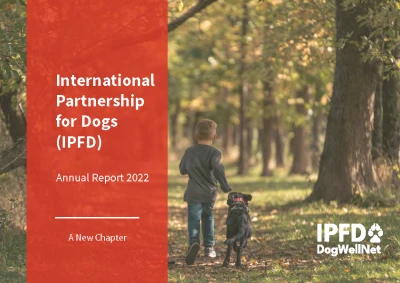
IPFD Annual Report 2022: A New Chapter


View previous IPFD Annual Reports here.


.


Media Contacts


Please contact Marc Ralsky, CEO, International Partnership for Dogs.


User Feedback

Recommended Comments

There are no comments to display.

Join the conversation

You can post now and register later. If you have an account, sign in now to post with your account.
Note: Your post will require moderator approval before it will be visible.

Guest
Add a comment...
Disclaimer
All materials on this site are the property of their respective authors and may not be reprinted without the author's written permission, unless otherwise indicated. The views and opinions expressed by the authors and those providing information or comments on this website are theirs alone, and do not necessarily reflect the views, opinions or positions of the International Partnership for Dogs (IPFDogs) or DogWellNet.com. We make no representations as to accuracy, completeness, timeliness, suitability or validity of any information and will not be liable for any errors, omissions, or delays in this information or any losses, injuries or damages arising from its display or use. All rights reserved. DogWellNet © 2014 - 2026
Find Us On
Contact Us
Questions? Comments? Looking to get involved in our work? We’d like to hear from you!
or if you prefer feel free to reach out to us on social media.

Powered by Invision Community

Important Information

By using this site, you agree to our Terms of Use.

Configure browser push notifications

Chrome (Android)
  1. Tap the lock icon next to the address bar.
  2. Tap Permissions → Notifications.
  3. Adjust your preference.
Chrome (Desktop)
  1. Click the padlock icon in the address bar.
  2. Select Site settings.
  3. Find Notifications and adjust your preference.