






Skip to content
View in the app

A better way to browse. Learn more.

DogWellNet

A full-screen app on your home screen with push notifications, badges and more.

To install this app on iOS and iPadOS
  1. Tap the Share icon in Safari
  2. Scroll the menu and tap Add to Home Screen.
  3. Tap Add in the top-right corner.
To install this app on Android
  1. Tap the 3-dot menu (⋮) in the top-right corner of the browser.
  2. Tap Add to Home screen or Install app.
  3. Confirm by tapping Install.
Data
SAMPLE Salish Wool Dog Breed Club of British Columbia: Salish Wool Dog Pedigree Database
Pedigree relationships information for SWD from 1700-1900
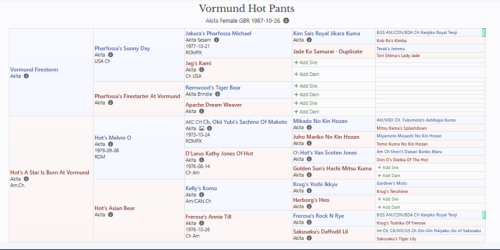
Data type: Pedigree/Registration

Data Held:

5 generation pedigree information has been digitized from the origional hand-written records for the Salish Wool Dog, with the first 3 generations at minimum being complete. Searchable by year only.

Access:

Request for access must be submitted to Dr. Clallam at: clallamdog@SWD.org.

Gene of Interest: n/a

Trait/Disease of Interest: pedigree

Breed(s): Salish Wool Dog, Comox Dog, Clallam Indian Dog

Additional Data
People
Dr. Clallam; Salish Wool Dog Breed Club of British Columbia
Disclaimer
All materials on this site are the property of their respective authors and may not be reprinted without the author's written permission, unless otherwise indicated. The views and opinions expressed by the authors and those providing information or comments on this website are theirs alone, and do not necessarily reflect the views, opinions or positions of the International Partnership for Dogs (IPFDogs) or DogWellNet.com. We make no representations as to accuracy, completeness, timeliness, suitability or validity of any information and will not be liable for any errors, omissions, or delays in this information or any losses, injuries or damages arising from its display or use. All rights reserved. DogWellNet © 2014 - 2026
Find Us On
Contact Us
Questions? Comments? Looking to get involved in our work? We’d like to hear from you!
or if you prefer feel free to reach out to us on social media.

Powered by Invision Community

Important Information

By using this site, you agree to our Terms of Use.

Account

Navigation

Configure browser push notifications

Chrome (Android)
  1. Tap the lock icon next to the address bar.
  2. Tap Permissions → Notifications.
  3. Adjust your preference.
Chrome (Desktop)
  1. Click the padlock icon in the address bar.
  2. Select Site settings.
  3. Find Notifications and adjust your preference.