






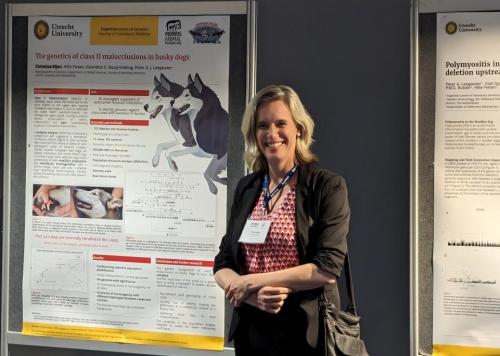
Goals: To facilitate information transfer and networking at the workshop.
Topics: To include, for example (see also description of Themes, further below):
Any programs, research, or activities related to health and welfare in dogs, that relate in some way to the workshop themes (see below).
Education/communication strategies or examples of innovative work to improve communication with a specific stakeholder group, or, especially across stakeholders.
International programs/organizations/groups addressing dog health, welfare, or human-dog interactions.
In all cases, experiences/descriptions of any measures of success or challenges is especially welcome.
Format: Posters should be: Size=A0, Format=Portrait; should include or have attached contact information/photo of the author to enhance networking possibilities. NOTE: If you have an existing poster in landscape format, we may have room to accommodate several of those.
Posters will be displayed throughout the In-Person Event in Bologna. There will be a dedicated session for poster presentations the evening of Saturday 30 May. We ask that you bring your printed poster with you and affix it to one of the provided stands before 18:00 (6 pm) on Saturday, 30 May.
In order to present a poster, you must send a title and a short description of the topic (i.e., 2 or 3 lines), together with your name/email/affiliations/credentials, etc., to david.st.louis@ipfdogs.com AND aimee.llewellyn-zaidi@ipfdogs.com by 30 April, at the latest. You will be informed within 5 days if it has been accepted. We have limited space, so please contact us as soon as possible.
Descriptions of Themes for Breakout Sessions (click a Theme title for more details):
Supply and Demand: The canine landscape is shifting rapidly, shaped by post-COVID population dynamics, evolving consumer choices, and new regulatory frameworks. How do kennel clubs adapt when demand patterns change, rescue populations grow, and public attitudes shift? This theme explores how the choices made by breeders, buyers, and policymakers collectively shape dog welfare across the entire canine population — pedigree and non-pedigree alike.
Breeding for Health and Well-being: Three decades of progress in canine health has transformed what we know, but translating knowledge into breeding practice remains a challenge. This theme examines what drives health screening behaviour among breeders, how national kennel clubs are developing practical frameworks, and what the changing landscape of canine disease tells us about where the field is heading. The goal: dogs that are physically sound, mentally resilient, and well-suited to life with people.
Global Canine Data Alliance: International cooperation in canine data is no longer a future aspiration — it is an active endeavour. This theme focuses on the infrastructure and governance needed to make global data sharing a practical reality: from AI-assisted health screening to harmonising genetic testing databases across registries and borders. How do we build systems that are technically robust, internationally compatible, and genuinely useful? (Formerly 'Big Data' Theme)
Genetic Diversity: Genetic diversity is foundational to breed health; yet managing it means navigating complex trade-offs between population structure, selection pressure, and breed identity. This theme examines real-world outcrossing experiences, decision tools for diversity management, and how genomic approaches can complement traditional pedigree-based methods. How do we sustain genetically healthy dog populations for the long term?
Thank you for your interest in the 6th IDHW Poster Presentations!

Quick Links
- Updated