






Important Note:
Separate registration is required for the Online and In-Person events.
Preliminary Schedule: Online Event (Thursday 16 April and Friday 17 April 2026)
Powered by:

Day 1: Thursday, 16 April
11am – 3pm EDT (Eastern Daylight Time: Toronto, New York, Miami)/5pm – 9pm CEST (Central European Summer Time: Stockholm, Paris, Bologna)
Day 2: Friday, 17 April
11am – 3pm EDT (Eastern Daylight Time: Toronto, New York, Miami)/5pm – 9pm CEST (Central European Summer Time: Stockholm, Paris, Bologna)
You can register for one or both days, but we recommend participating on BOTH days to catch our informative presentations and take part in all ongoing discussions on dog health and well-being.
All 30-60-minute talks include 5-10 minutes of discussion time
Day 1: Thursday 16 April
11:00am (EDT)/5:00pm (CEST) Welcome – Marc Ralsky & Pekka Olson, IPFDogs
11:15am (EDT)/5:15pm (CEST) Theme updates (Supply and Demand, Breeding for Health and Well-being, Canine Global Data Alliance, Genetic Diversity)
New websites (dogwellnet.com and ipfdogs.com) – Aimée Llewellyn-Zaidi, IPFDogs
12:15pm (EDT)/6:15pm (CEST) Updates on extreme traits, and vision forward
How Widespread is BOAS? RFG Insights from 14 More Brachycephalic Breeds (15 min) – Jane Ladlow & Francesca Tomlison, University of Cambridge
Finland (15 min) – Liisa Lilja-Maula, Finnish Kennel Club
Germany (15 min) – Jan-Peter Bach, German Kennel Club (VDH)
1:15pm (EDT)/7:15pm (CEST) Break (videos during break)
1:30pm (EDT)/7:30pm (CEST) Updates on extreme traits, and vision forward (continued)
UK (15 min) – Alison Skipper, Royal Kennel Club
Italy (15 min) - Stefano Marelli, University of Milan
2:30pm (EDT)/8:30pm (CEST) Aims and Activities of The International Collaborative on Extreme Conformation in Dogs (ICECDogs) – Åke Hedhammar, Swedish University of Agricultural Sciences (SLU)
2:45pm (EDT)/8:45pm (CEST) Update on Choose Health Royal Canin initiative and coalition – Elodie Morel, Royal Canin
3:00pm (EDT)/9:00pm (CEST) Final comments on the day – Aimée Llewellyn-Zaidi, IPFDogs
Day 2: Friday 17 April
11:00am (EDT)/5:00pm (CEST) Welcome Back – Marc Ralsky, IPFDogs
11:15am (EDT)/5:15pm (CEST) Enriching life with dogs through research and insights – Monica Dreijer and Ann-Charlotte Möller Koivisto, Agria Djurförsäkring
11:45am (EDT)/5:45pm (CEST) Launching a multi-stakeholder human behaviour change programme to address extreme conformation in companion animals – Ashleigh Brown, Royal Society for the Prevention of Cruelty to Animals (RSPCA)
12:15pm (EDT)/6:15pm (CEST) From Population Analyses to Collaborative Pathways in Genetic Diversity Management – Joanna Ilska, Royal Kennel Club
12:45pm(EDT)/6:45pm (CEST) Break (videos during break)
1:00pm(EDT)/7:00pm (CEST) From biodiversity to population management: A genomic roadmap for a modern dog breeding – Paola Crepaldi and Arianna Bionda, University of Milan
1:30pm(EDT)/7:30pm (CEST) A method for estimating mutation frequencies based on DNA test results in pedigree dogs – Rosalind Craddock, Roslin Institute
2:00pm(EDT)/8:00pm (CEST) Breeding for Health Framework – Alison Skipper, Royal Kennel Club
2:30pm(EDT)/8:30pm (CEST) 6th International Dog Health Workshop, Bologna – Italy IPFDogs & Italian Kennel Club
2:45pm(EDT)/8:45pm (CEST) Summary – Aimée Llewellyn-Zaidi, IPFDogs
3:00pm(EDT)/9:00pm (CEST) Thank yous – Marc Ralsky & Pekka Olson, IPFDogs
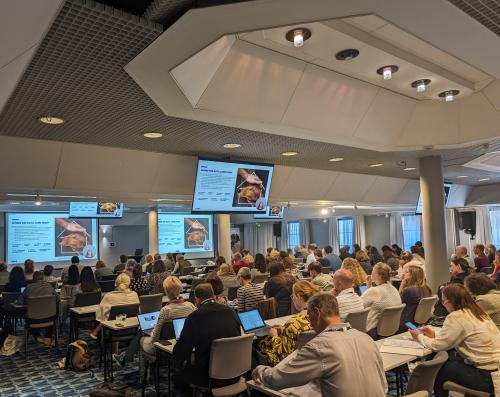
Preliminary Schedule: In-Person Event, Bologna, Italy (Saturday 30 May - Monday 1 June 2026)
Workshop Venue:
The Sydney Hotel
Via Michelino, 73 - 40127 Bologna
Tel. +39 051/030409
https://www.thesydneyhotel.eu/en/
All times shown local time (CEST)
Saturday 30 May
18.00 – 20.00 Registration, Welcome Reception, Posters, Networking (dress code: casual)
Sunday 31 May
Note: All attendees come together for each of the four Sunday morning Plenary Sessions before joining smaller breakout session groups for their chosen Theme after lunch.
8.30 – 8.45 Welcome – Pekka Olson, Chair IPFDogs & Marc Ralsky, CEO, IPFDogs
8.45 – 9.15 People, pets, planet. Agria’s winning formula as Europe’s largest pet insurer - Christina Almtun and Charlotte Funck Ekelund, Agria Djurförsäkring
9.15 – 9.45 1st plenary session – Supply and Demand – Theme Leader: Charlotte McNamara, Royal Kennel Club; Facilitator: Ian Seath, Royal Kennel Club
Kennel Clubs: How do we thrive in a changing canine landscape? - Charlotte McNamara, Royal Kennel Club
Influencing Choice: Marketing's Impact on Pet Welfare and Breeding Practices - Lauren Bennett, Royal Society for the Prevention of Cruelty to Animals (RSPCA)
The Rising Cost of Veterinary Care: Implications for Dog Health and Welfare - Pekka Olson, IPFDogs
9.45 – 10.30 2nd plenary session – Breeding for Health and Well-being – Theme Leader: Erling Strandberg, Swedish Kennel Club; Facilitator: Eddie Dziuk, Orthopedic Foundation for Animals (OFA)
The Changing Landscape of Canine Health: Three Decades of Progress and What's Next - Stephanie Montgomery, Canine Health Foundation
Boosters and barriers – understanding health screening behaviour among breeders - Helle Friis Proschowsky, University of Copenhagen
Breeding Healthy Pets: The Belgian approach - Laura Adant, University of Ghent
10.30 – 11.00 Coffee and conversation
11.00 – 11.45 3rd plenary session – Global Canine Data Alliance – Theme Leader: Melissa Cox, Certagen; Facilitator: Fleur-Marie Desfougeres, French Kennel Club
AI developments in health screening (hip dysplasia, heart murmur) - Kevin Smith & Emir Konuk, KTH Royal Institute of Technology
International Dog Health Resources - the Dog Wellness Network - Aimée Llewellyn-Zaidi, IPFDogs
11.45 – 12.30 4th plenary session – Genetic Diversity – Theme Leader: Alison Skipper, Royal Kennel Club; Facilitators: Paola Crepaldi and Arianna Bionda, University of Milan
The Good, the Bad, and the Ugly: Real-World Outcrossing and Crossbreeding Experiences - Rowena Packer, Royal Veterinary College
Decision tools for managing genetic diversity: Mean Kinship and beyond - Pieter Oliehoek, Dogs Global
Towards integrating genomic and traditional approaches for dog populations: An Italian experience - Paola Crepaldi and Arianna Bionda, University of Milan
12.30 – 13.45 Lunch
13.45 – 14.45 Breakout session groups by individual Themes
14.45 – 15.00 Break
15.00 – 16.00 Breakout sessions continue
16.00 – 16.30 Coffee & conversation
16.30 – 17.30 Breakout sessions continue
19.00 – 22.00 Gala Dinner and awards – Hosted by ENCI (dress code: smart casual)
Monday 1 June
Note: All attendees come together for presentations and Plenary Sharing/Summary Sessions.
9.00 – 9.30 Choose Health Coalition: Recommendations on Reducing Low-Welfare Pet Production and Extreme Conformation - Ishtar Schneider, Royal Canin
9.30 – 10.00 Plenary sharing session; summing up and action plans (two themes; 15 min for each)
10.00 – 10.30 Coffee and conversation
10.30 – 11.00 Plenary sharing session; summing up and action plans (two themes; 15 min for each)
11.00 – 12.00 Discussion
12.00 – 12.30 Presentation on Italian dog breeds
12.30 – 13.45 Lunch
13.45 – 14.45 Summary; convergence across themes
14.45 – 15.00 Closing Remarks, Thank You – Pekka Olson, Chair, IPFD
15.00 – 15.30 Coffee and conversation
15.30 Delegates Depart
15.30 – 16.30 IPFD Board Meeting (IPFDogs Team and Board Members only)
Quick Links
- Updated